


Backup Settings – Plesk 12
First, log into your Plesk control panel and then click on Tools and Settings from the main menu.
Click on Backup Settings in section Tools & Resources
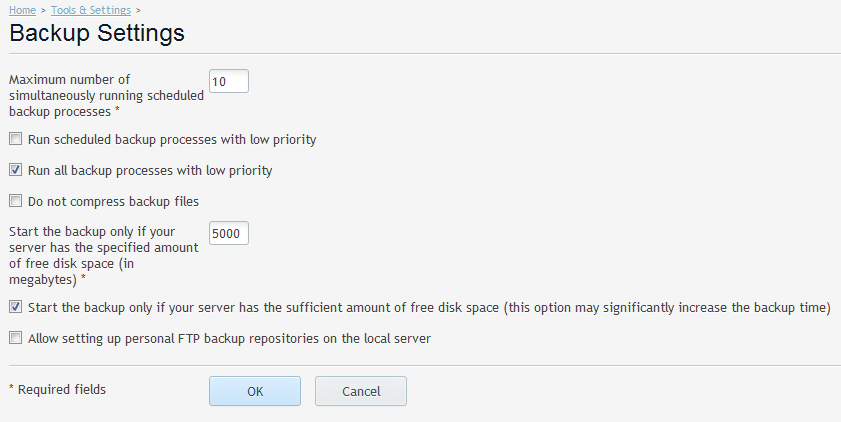
The example settings have been configured to only run the backups if the server has 5000MB / 5GB of disc space available. This value may need to adjusted depended on amount of free space required.